Updates
Add pictures to your Unpaged canvases
Add screenshots, photos and other pictures to your canvases. Explore an example with notes and a linked detail canvas.
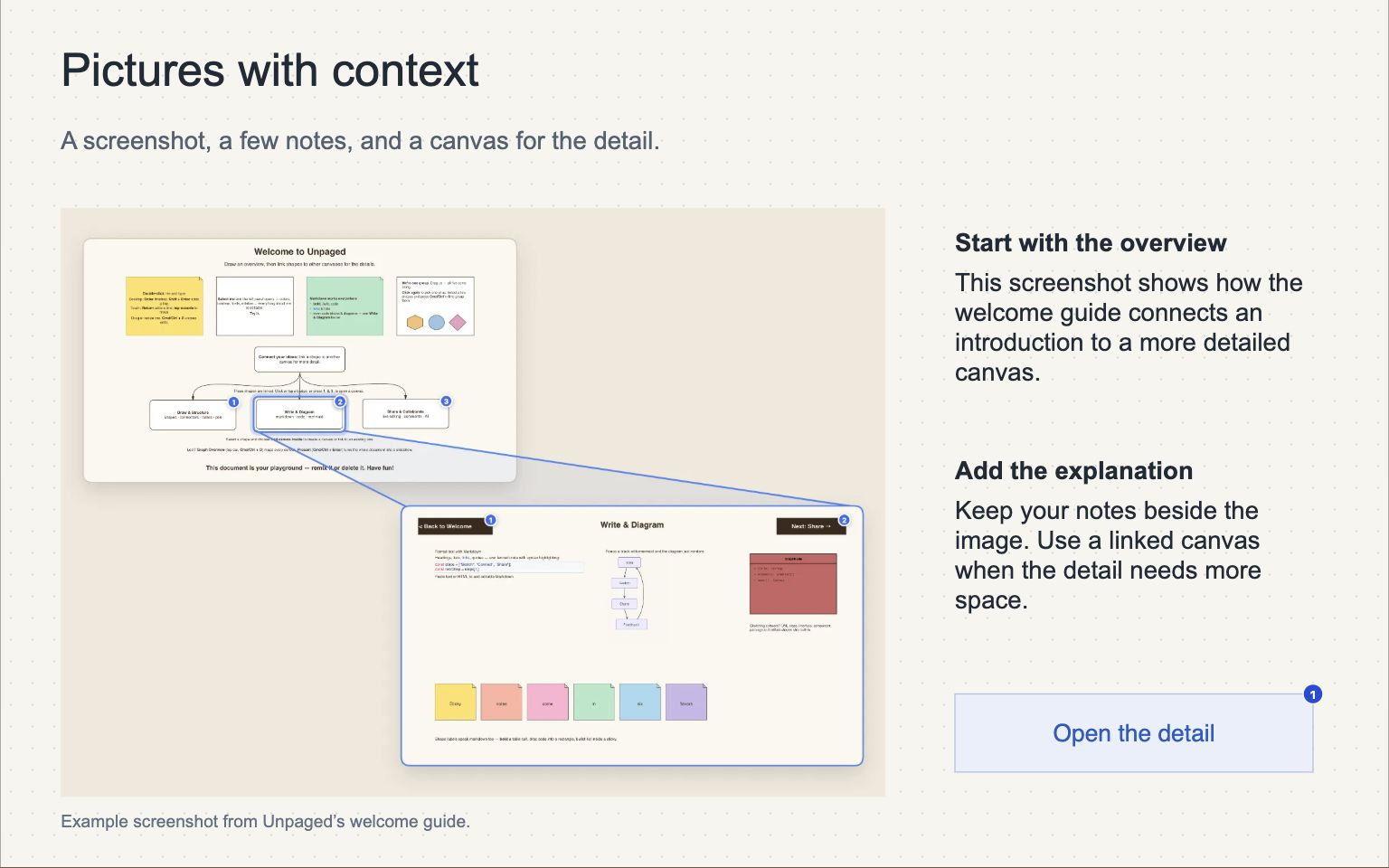
You can now add pictures to Unpaged canvases. Put a screenshot beside an explanation, add reference images to a project, or show a diagram alongside the notes that explain it.
Explore the example below. The first canvas combines a screenshot with notes. Choose Open the detail to see a second screenshot on its own canvas.
Add a picture
Choose Picture in the toolbar and select a file, drag a picture file onto the canvas, or copy a picture and paste it. Unpaged supports PNG, JPEG, WebP and GIF files, including animated GIFs.
Move the picture into place and drag a corner to resize it. Add text beside it to explain what the reader should notice.
Adding pictures to online documents requires Premium. You also need Premium to copy pictures into another online document. Readers can view pictures without Premium.
Try adding pictures in the free playground without creating an account. The playground is temporary: your changes and pictures disappear when you refresh or reset it.