product, canvas, embeds, documentation
You understand better when you ask the questions
The same applies when you decide which part you want to know about. Why a good explanation lets the reader choose both direction and depth—and how to explore one right inside this post.
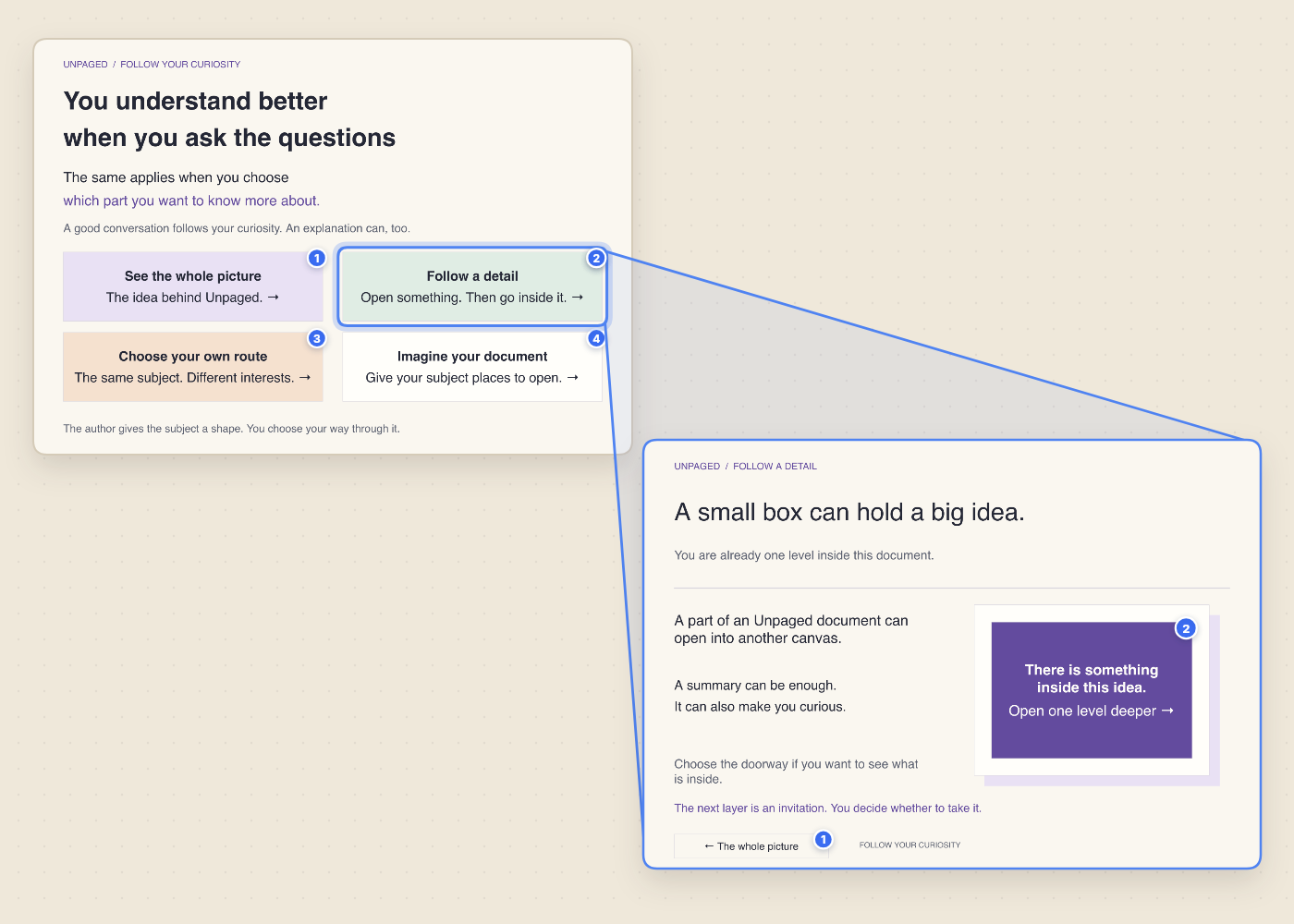
The same applies when you decide which part you want to know about.
A good conversation follows your curiosity. When someone explains an idea in person, they start with the whole picture in a few strokes and wait to see what you ask next. If you are new to the subject, you ask what it is all about. If you are building it, you ask how the mechanism works. If you are reviewing it, you ask for the evidence behind the claim.
Traditional documents have a harder time doing that. Because a page is a single column from top to bottom, the author has to pick one route and one depth for everyone. Put every detail up front, and the big picture disappears; leave the depth out, and the person with a real question hits a wall.
Give the subject a shape, then leave room for curiosity
In Unpaged, the overview stays simple because the depth has somewhere to live. Each part on a canvas can open into its own canvas—and that canvas can open one level deeper when a summary makes you curious. Try it in the live document below: pick any of the four doorways to choose a direction, then step inside Follow a detail to choose your depth.
One subject, several useful ways into it
Whether you are laying out a plan (the goal → the approach → the work inside each part), an explanation (the main idea → an example → how the example works), or research (a finding → the evidence → how you reached it), you no longer have to flatten every layer onto one page:
• A direction: Readers go straight to the part of the subject that answers the question already in their head.
• A depth: A doorway can stop at a clear summary or open another level deeper for the reader who wants the full story.
• Live inside articles: Public Unpaged documents can now be embedded directly in blog posts—so readers can pan, zoom, and follow nested canvases in place without losing their scroll position in the article.
The author gives the subject a shape. You choose your way through it.